How Interior Designers Use AI Tools Like DecorAI
How professional interior designers use DecorAI at the pitch stage, to narrow a client's taste with a Moodboard, to communicate a single change with Inpainting, and to leave behind a Design Report — plus what never to tell a client about an AI image.


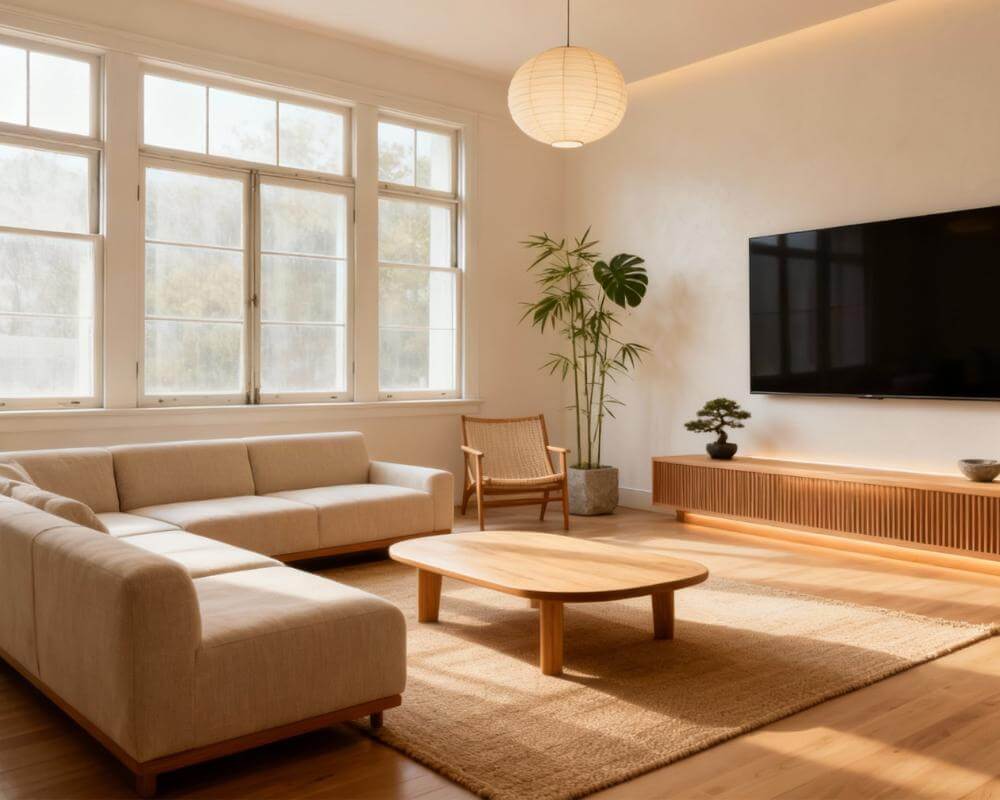
The most time-consuming part of an interior design project is often the part nobody pays for — the early back-and-forth before a client agrees on a direction. DecorAI is an AI interior design app that lets users transform photos of existing rooms into realistic redesign concepts, and a growing number of professional designers use it for exactly that unpaid stretch: turning a client's own room photos into several concept directions in minutes, agreeing on a look before detailed drawings start, and producing a leave-behind that makes the pitch meeting feel finished rather than open-ended.
This isn't a tool built to replace a designer's judgment — it's built to remove the slowest, least billable part of the job so more hours go toward the work a client is actually paying for. This guide covers where AI fits into a real design workflow, how to use it at the pitch stage, how a Moodboard narrows a client's taste faster than a mood-board deck ever could, how to communicate one change without re-rendering an entire scheme, what belongs in a client-facing leave-behind, and the one rule every designer using AI concepts with clients needs to follow.
Key Takeaways
- Designers use AI for the early, unpaid part of a project — generating concept directions from a client's own photos before detailed work starts, not for the finished specification.
- A Moodboard narrows taste fast: it measures a merged colour palette from a client's own saved images and applies it to their real room, replacing a slow round of "does this feel right?" emails.
- Inpainting communicates one change at a time — swap a single sofa or finish without regenerating a scheme the client already approved.
- A Design Report works as a leave-behind: a palette, prioritised recommendations, and a three-tier cost estimate a client can hold onto after the meeting.
- The one rule that matters: an AI image is a concept, never a specification — a client should never be told a generated image is exactly what will be built.
- Try DecorAI free to generate concept directions from a client's own room photo.

Where Do Interior Designers Actually Use AI in a Project?
The projects that benefit most from AI concepts are the ones where a client hasn't committed to a direction yet. Rather than sketching three moodboards by hand or scheduling a second meeting to react to hand-drawn concepts, a designer can upload the client's own room photo during the first conversation and generate a handful of directions on the spot. That collapses a step that used to take days into the meeting itself, freeing the billable hours that follow for the work AI genuinely can't do: sourcing real materials, coordinating trades, and managing a build to the client's actual budget and building constraints.
It's worth being precise about what that means in practice: AI concepts sit at the front of a project, not throughout it. Once a direction is agreed, the detailed specification — exact SKUs, lead times, contractor scheduling — is still entirely the designer's work. AI shortens the guessing phase; it doesn't touch the execution phase.
How Do Designers Use AI at the Pitch Stage?
The highest-value use case is also the simplest: three directions from one photo, generated live in the meeting rather than promised for "next week." A designer photographs the client's actual room — or works from photos the client already sent over — and generates a few distinct concepts on the spot: perhaps a warmer, more traditional take alongside a cooler, more minimal one, so the client is reacting to real options instead of describing a feeling in the abstract.
That immediacy changes the shape of the meeting. Instead of a client trying to describe a style in words and a designer translating that description into a proposal days later, both people are looking at the same image and reacting to specifics: "I like this palette but not that much wood," or "keep the layout, change the sofa." Those are answers a designer can act on immediately, and they're exactly the kind of feedback a written brief rarely produces on its own.
How Does a Moodboard Help Narrow Down a Client's Taste?
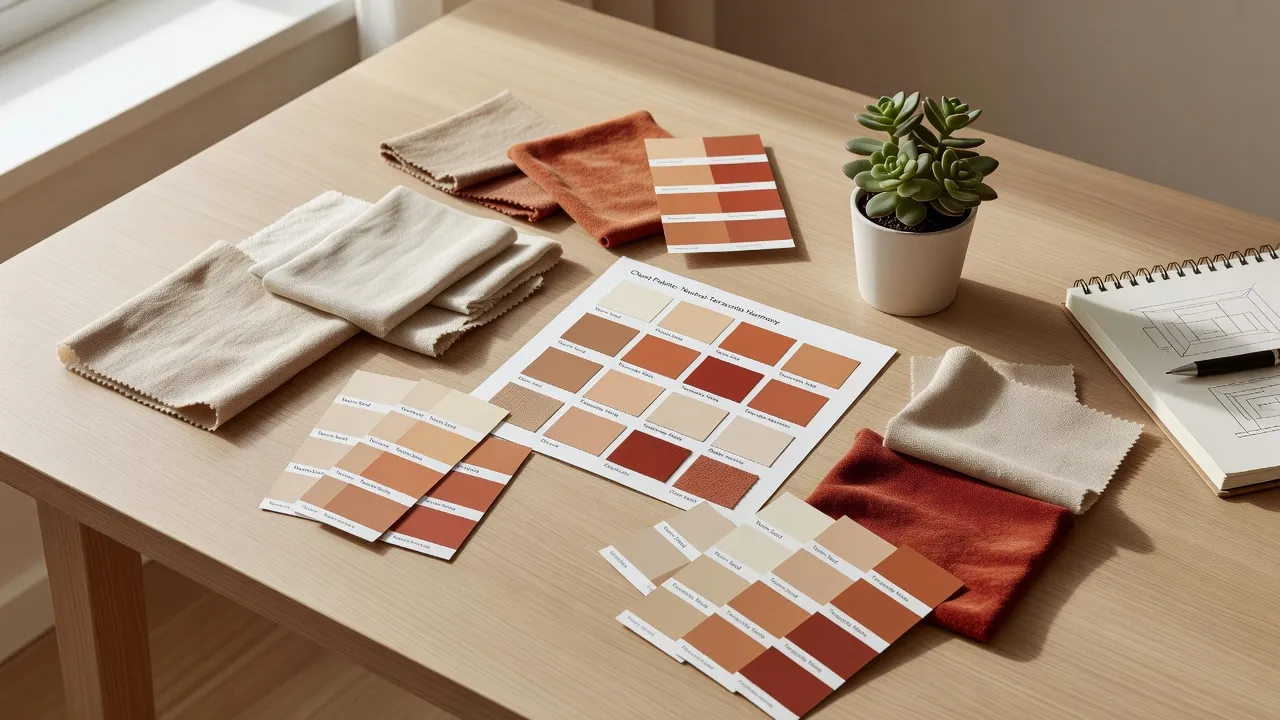
Before generating anything, most designers still need to figure out what the client actually likes — and a Moodboard does that faster than a manual moodboard deck. A client saves the images they're drawn to — a Pinterest board, screenshots, magazine tears — and DecorAI reads the actual pixels of every saved image and merges the top colours across the whole board into one measured palette. That palette isn't a guess at what the client meant; it's measured directly from the images they chose, then applied to a redesign of their real room.
This solves a problem every designer has run into: a client insists they want "neutral and calm," but their saved inspiration is full of saturated jewel tones. A measured palette settles that disagreement with evidence instead of opinion, before a single hour goes into a proposal built on the wrong assumption. See our guide to bringing Pinterest and Instagram inspiration into DecorAI for how to pull a client's existing saved images in directly rather than re-collecting them by hand.
A Moodboard also has a practical advantage over a one-off concept image: it's saved and named, so a client's "warm minimal" board built for their living room can be reused when the same client asks about their bedroom six months later, instead of a designer rebuilding the taste profile from scratch.
Generate Client Concepts in the Meeting — Free to Start
Upload a client's room photo and generate several distinct directions on the spot, build a Moodboard from their saved inspiration, and leave behind a Design Report they can hold onto after the meeting.


How Do Designers Communicate a Single Change Without Re-Rendering Everything?
Once a client has approved a direction, the feedback that follows is usually small: "I like all of it except that sofa," or "can we see a different finish on the cabinets." Regenerating the whole scheme to test one change risks losing everything the client already liked about the rest of it. This is where Inpainting earns its place in the workflow — it edits one selected area of an already-approved image and leaves the rest of the composition untouched, so a designer can show three alternative sofas against the same approved room instead of three entirely new renders that each reset the client's frame of reference.
That distinction matters more in client work than it sounds like it should. A client comparing three completely different room renders is evaluating three different rooms; a client comparing three sofa options in the exact same approved room is evaluating one decision. The second version gets to a signed-off answer faster.
What Belongs in a Client-Facing Leave-Behind?
A meeting that ends with a client saying "send me something to think about" needs an actual document, not a follow-up email summarising what was discussed. A DecorAI Design Report is built for that moment: a PDF containing a style profile, a named colour palette with hex codes, a before-and-after comparison, prioritised recommendations, and a three-tier cost estimate — budget, mid-range, and premium — broken down by category.
The cost estimate is the part clients tend to hold onto longest, because it turns an abstract concept into a number they can plan a budget around. It's priced in local currency and is planning-grade rather than a quotation — real prices still depend on the client's actual suppliers, region, and labour costs — but as a leave-behind after a first meeting, a designer-branded PDF with a palette, a plan, and a realistic price range does more to keep a client engaged than a verbal recap ever will. On a paid plan, the watermark is removed so the document is presentable as something a client can forward to a partner or a spouse without it looking like a demo.
What Should Designers Never Tell a Client About an AI Image?
There's one rule that matters more than any workflow tip: an AI-generated image is a concept, not a specification, and a client should never be told that a generated image is exactly what will be built. A rendered image can imply a level of structural change, lighting, or material precision that isn't actually achievable on that budget or in that space, and presenting it as a guarantee rather than a direction-setting concept sets up a client for disappointment that has nothing to do with the design itself.
The practical fix is simple: frame every AI concept verbally and in writing as "a direction we're exploring," not "what your room will look like." The same caution applies doubly to virtual staging on a real-estate listing — a staged image needs to be labelled as digitally staged, since the disclosure rules that apply to real-estate photography are separate from, and stricter than, general design-consultation etiquette.
Is This About Replacing Designers With AI?
No — and it's worth being direct about the difference between this workflow and the broader "should I hire a designer or use AI instead" question homeowners sometimes ask, which our AI vs human interior designers guide covers in full. That comparison is aimed at someone deciding whether to hire a professional at all. This is a different question entirely: how a working designer uses AI as a tool inside their own process, the same way they'd use any other software that speeds up a repetitive part of the job. The client is still paying for judgement, sourcing, project management, and accountability — AI just removes the slowest part of getting everyone looking at the same starting point.
What Mistakes Should Designers Avoid When Using AI With Clients?
- Presenting a concept as a finished specification. Always frame it as a direction, not a guarantee of the final build.
- Skipping the client's own room photo. A generic stock-style render tells a client far less than a redesign of the exact room they're standing in.
- Rebuilding a whole scheme to test one small change. Use Inpainting for a single swap instead of resetting the client's frame of reference with a new full render.
- Sending a watermarked concept as a final leave-behind. A visible watermark reads as a demo, not a deliverable a client can act on.
- Skipping the disclosure on staged real-estate photos. Digitally staged listing images must be labelled as such — check the rules for the market you're listing in before publishing.
FAQ: AI Tools for Interior Designers
How do interior designers use DecorAI professionally?
Designers use DecorAI for the early, unpaid part of a project: generating several concept directions from a client's photos in minutes, agreeing a direction before detailed work starts, and producing a Design Report as a leave-behind. A paid plan removes the watermark so the output is presentable to clients.
Can I show a client more than one concept in the same meeting?
Yes. Because a redesign generates in seconds from the client's own room photo, a designer can produce several distinct directions live in a single meeting rather than promising options for a follow-up call.
Should I tell a client the AI image is exactly what will be built?
No. Present every AI-generated image as a concept that sets a direction, never as a specification or a guarantee of the finished result. This matters most on real-estate listings, where a digitally staged photo must also be disclosed as staged.
How is this different from choosing AI instead of hiring a designer?
That's a separate question aimed at homeowners deciding whether to hire a professional at all. This guide is about a working designer using AI inside their own process — the client is still paying for the designer's judgement, sourcing, and project management.
What can I hand a client after a first meeting?
A Design Report PDF works well as a leave-behind: a colour palette, prioritised recommendations, a before-and-after comparison, and a three-tier cost estimate the client can use to start planning a budget.
Conclusion
The designers getting the most out of AI concepts aren't using them to skip the work clients pay for — they're using them to get past the slowest part of the work clients don't pay for: the guessing phase before a direction is agreed. A concept generated from a client's own room, a Moodboard that measures their actual taste, an Inpainting edit that tests one change without resetting the whole conversation, and a Design Report that gives them something to hold onto — together that turns a vague first meeting into a signed-off direction, faster. Try it with a client's room photo on DecorAI free, or visit the DecorAI feature directory to see how the whole toolkit fits together.
Visualize Your Dream Home Instantly
Don't just read about it. Experience the power of AI interior design with DecorAI's free tool.
Start Designing for FreeWritten by
DecorAI Team
Editorial Team