AI Home Staging: Sell Your Property Faster with Virtual Staging in 2025
Learn how AI home staging and virtual staging tools help real estate agents and home sellers sell properties faster. Complete guide to AI staging for realtors with cost comparisons and ROI data.
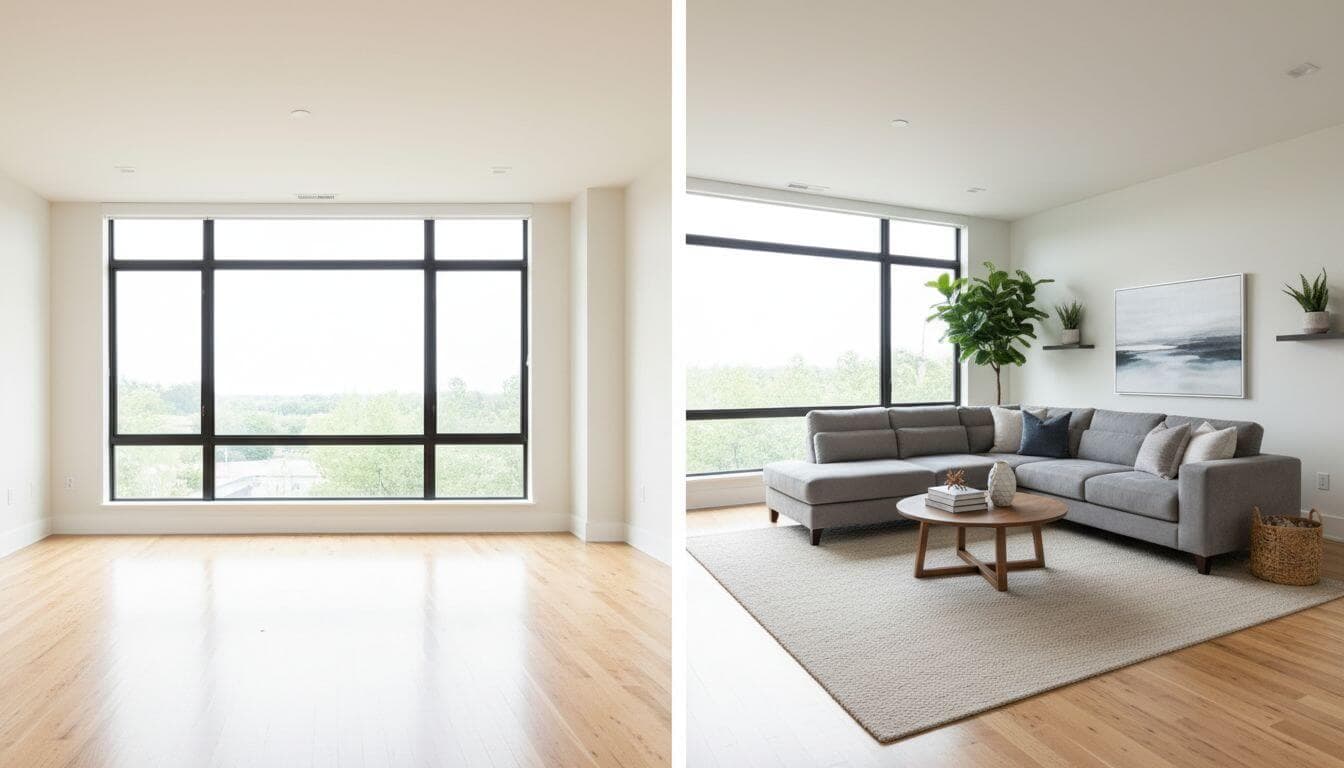

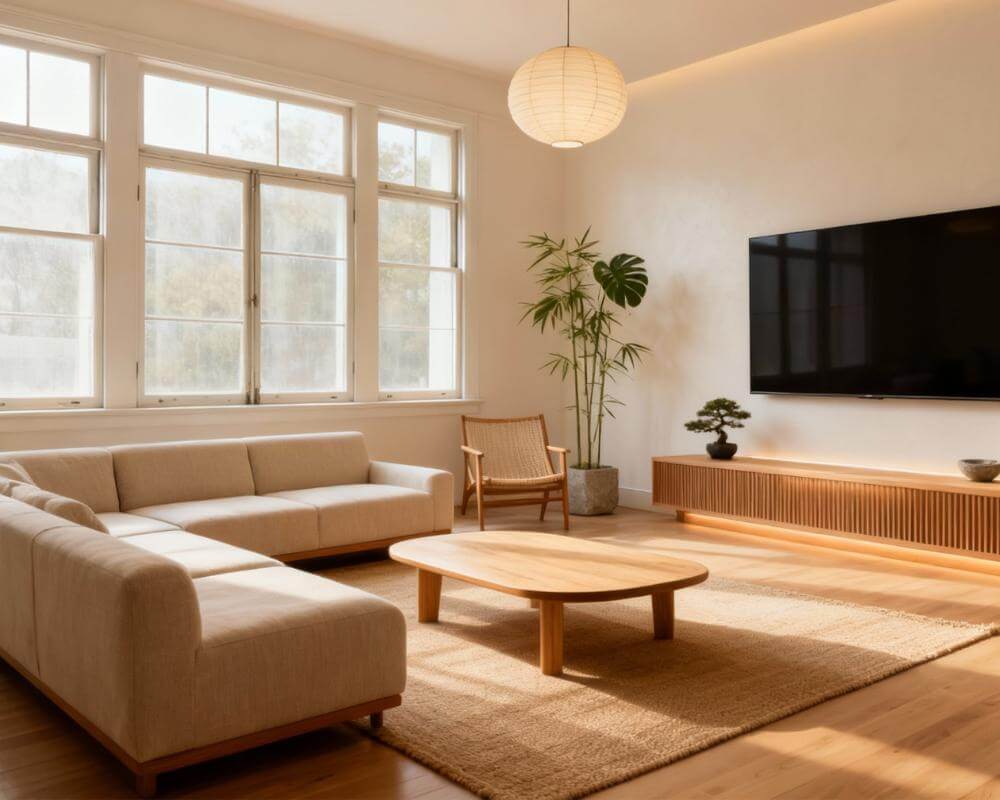
Empty rooms don't sell homes—staged homes do. Studies consistently show that staged properties sell 73% faster and for up to 25% more than vacant listings. But traditional staging costs $2,000-$6,000 per property. Enter AI home staging: the technology revolutionizing how real estate professionals and home sellers present properties in 2025.
Whether you're a realtor looking to enhance your listings, a home seller preparing for market, or a real estate investor flipping properties, this comprehensive guide covers everything you need to know about virtual staging AI tools and how they can transform your selling strategy.
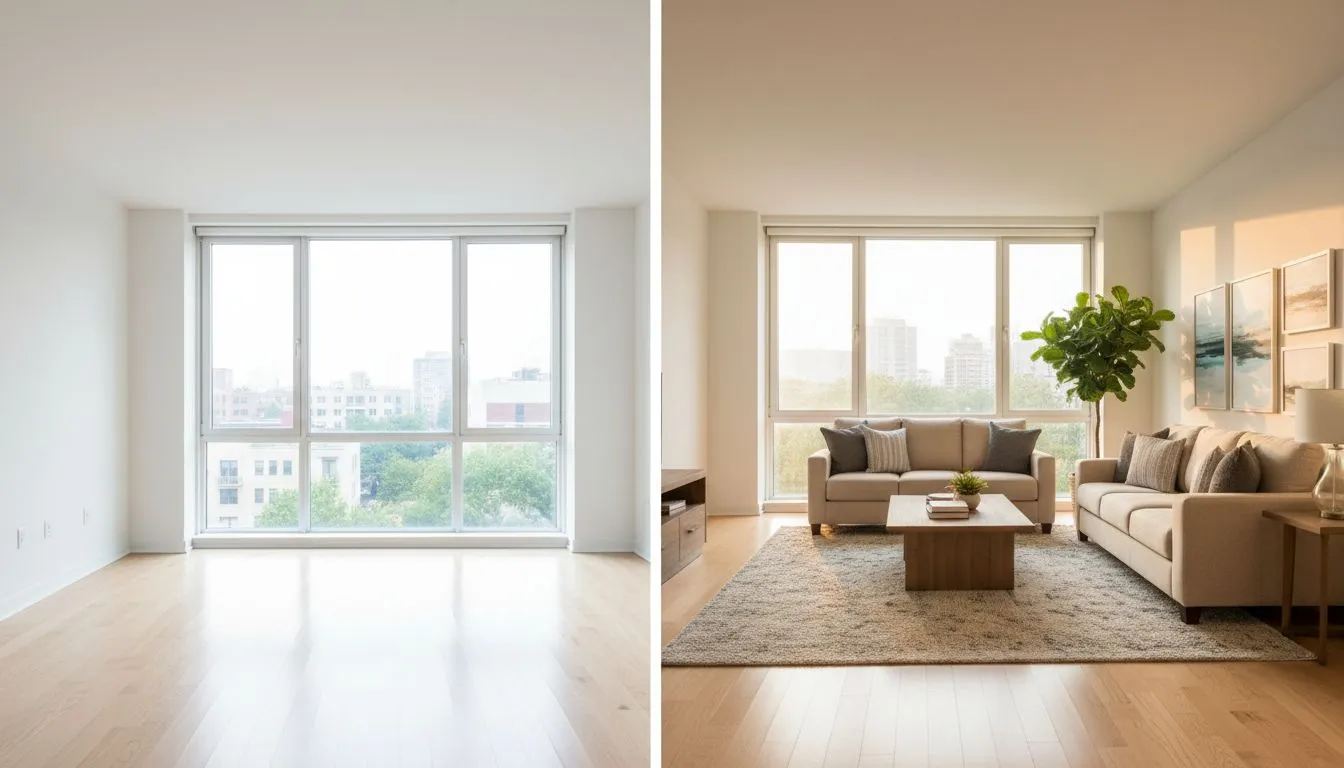
What is AI Home Staging?
AI home staging (also called virtual staging) uses artificial intelligence to digitally furnish and decorate photos of empty or outdated rooms. Unlike traditional staging that requires physical furniture rental, delivery, and setup, virtual staging AI works entirely from photographs.
The technology analyzes your room photos to understand:
- Spatial Geometry: Room dimensions, ceiling height, and architectural features
- Lighting Conditions: Natural light sources, shadows, and ambient lighting
- Perspective & Scale: Proper furniture proportions that match the room's perspective
- Style Compatibility: Furnishings that match the home's architecture and target buyer demographic
The result? Photorealistic images that help buyers envision themselves living in the space—without moving a single piece of furniture.
Why Staging Matters: The Data Behind Sold Signs
Before diving into AI staging for realtors, let's understand why staging works so effectively:
| Metric | Staged Homes | Vacant Homes |
|---|---|---|
| Average Days on Market | 23 days | 84 days |
| Sale Price vs. List | +5% to +25% | -5% to -10% |
| Buyer Interest (Showings) | 3x more showings | Baseline |
| Online Listing Views | 95% more views | Baseline |
According to the National Association of Realtors, 82% of buyers' agents say staging makes it easier for buyers to visualize the property as their future home. This emotional connection directly translates to faster sales and higher offers.
Traditional Staging vs. AI Virtual Staging
Understanding the differences helps you choose the right approach for each listing:
| Factor | Traditional Staging | AI Virtual Staging |
|---|---|---|
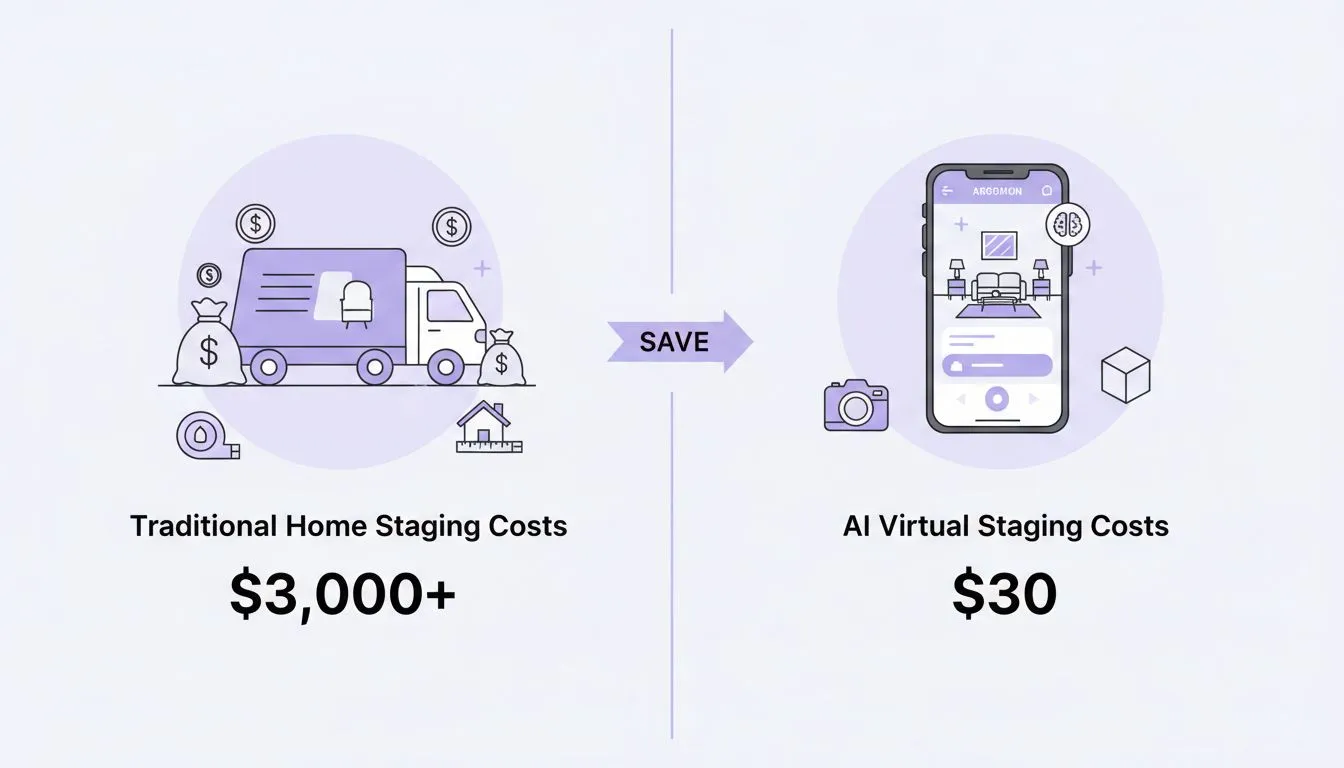
| Cost per Room | $500 - $1,500 | $15 - $50 |
| Full Home Staging | $2,000 - $6,000+ | $75 - $300 |
| Turnaround Time | 1-2 weeks | Minutes to hours |
| Style Changes | Additional cost & time | Instant, unlimited |
| Physical Showings | Fully staged in person | Empty (photos only) |
| Best For | Luxury, high-value homes | All price points, especially volume |
How AI Home Staging Works: Step-by-Step
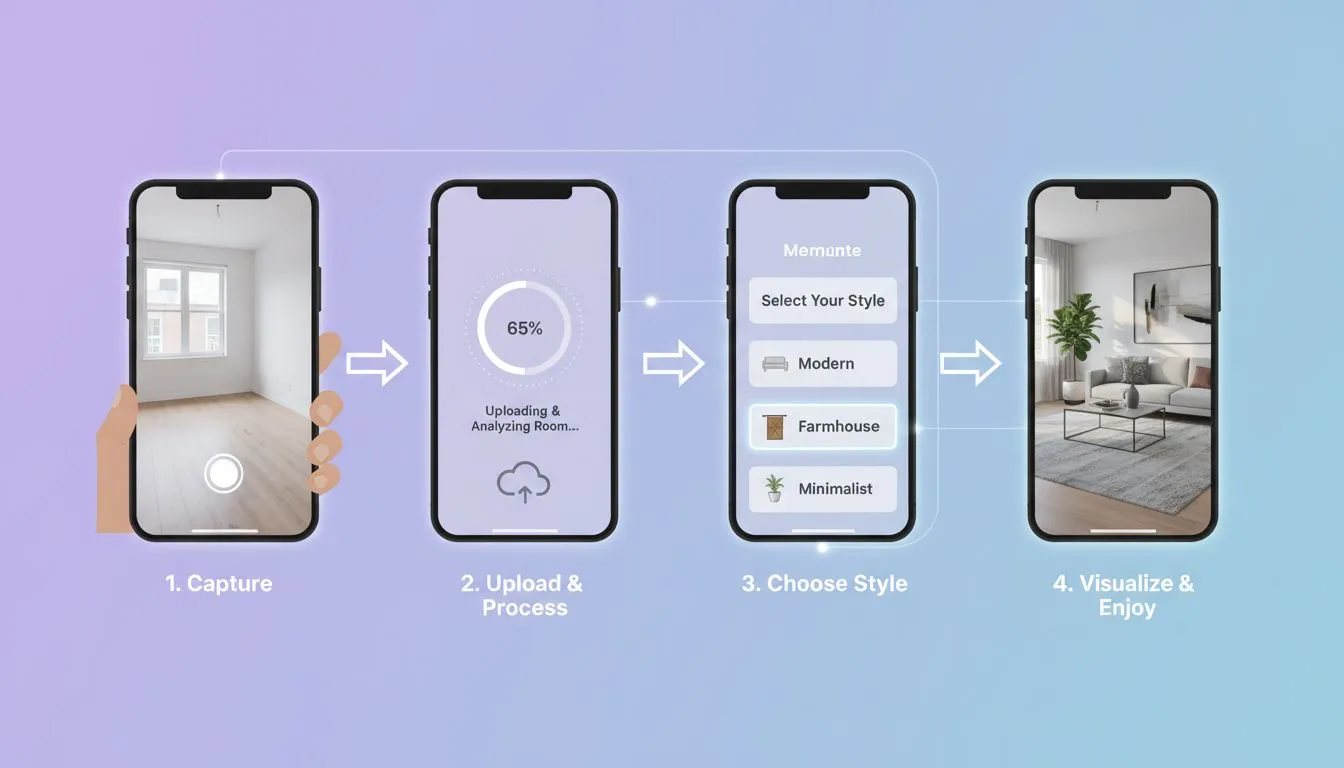
Modern virtual staging AI tools like DecorAI use advanced diffusion models and computer vision to create photorealistic results. Here's the process:
Step 1: Photograph the Empty Space
Capture high-quality photos of your vacant rooms. For best results with AI property staging:
- Use natural daylight when possible
- Shoot at eye level (not from high angles)
- Ensure the room is clean and free of debris
- Capture wide shots that show the full room
Step 2: Upload to Your AI Staging Tool
Upload your photos to an AI home staging platform. The AI immediately analyzes the room's architecture, lighting, and dimensions.
Step 3: Select Your Style
Choose a design style that matches your target buyer demographic:
- Modern Minimalist: Appeals to young professionals and first-time buyers
- Transitional: Broad appeal for families and move-up buyers
- Luxury Contemporary: High-end finishes for premium listings
- Farmhouse: Popular in suburban and rural markets
Step 4: Generate & Refine
The virtual staging AI generates your staged image in seconds. Most tools allow you to regenerate with different styles or adjust specific elements until you're satisfied.
Step 5: Download & Deploy
Download high-resolution images for your MLS listing, social media, and marketing materials. Many agents create multiple versions to appeal to different buyer preferences.
Best Practices for AI Virtual Staging Success
After analyzing thousands of successful AI home staging projects, here are the techniques that deliver the best results:
1. Stage the Right Rooms First
Not every room needs staging. Prioritize based on buyer impact:
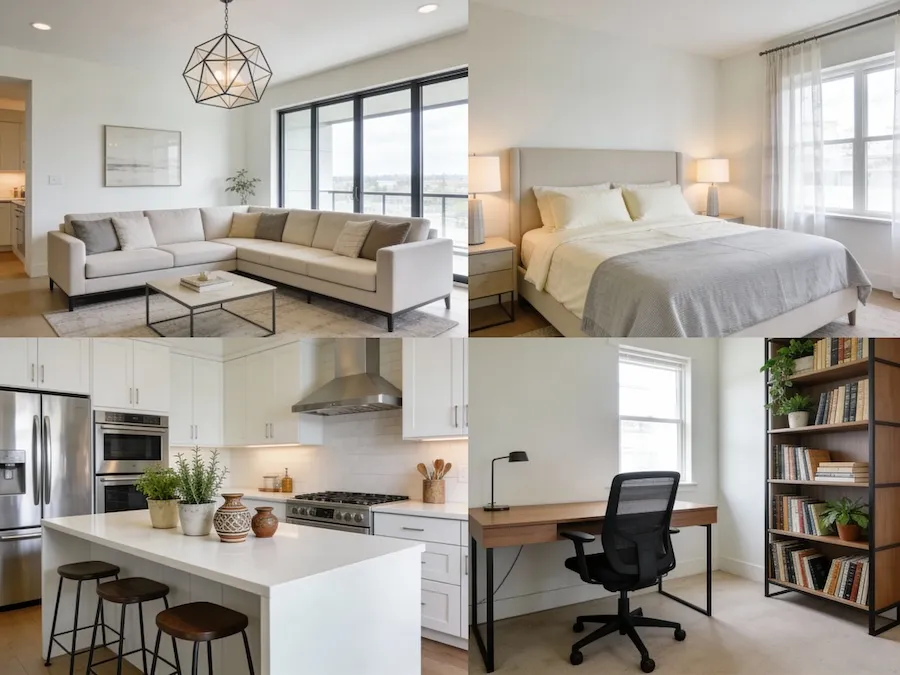
- Living Room: The most important room to stage (first impression)
- Primary Bedroom: Helps buyers envision their sanctuary
- Kitchen: Often the deal-maker or deal-breaker
- Home Office: Increasingly important post-2020
For a typical 3-bedroom home, staging the living room, primary bedroom, and kitchen provides the best ROI.
2. Match Style to Buyer Demographics
Your AI staging for realtors strategy should consider who's buying in that neighborhood:
- Urban Condos: Modern, minimalist, space-efficient furniture
- Suburban Family Homes: Warm, functional, kid-friendly spaces
- Luxury Properties: High-end finishes, statement pieces, curated art
- Starter Homes: Affordable-looking but stylish furnishings
3. Keep It Realistic
The goal of virtual home staging is to help buyers visualize—not to deceive. Follow these guidelines:
- Use appropriately sized furniture for the space
- Don't hide architectural flaws with furniture
- Maintain consistent lighting with the original photo
- Always disclose that images are virtually staged
4. Create Multiple Versions
One advantage of AI property staging is the ability to create unlimited variations. Consider creating:
- A "primary" version for the MLS listing
- Alternative styles for social media and targeted ads
- Day and evening versions to show versatility
Room-by-Room AI Staging Guide
Living Room Staging
The living room is where AI home staging has the biggest impact. Focus on:
- A conversation-friendly furniture arrangement
- An anchor piece like a sectional or statement sofa
- Area rug to define the space
- Layered lighting (floor lamps, table lamps)
- Art and accessories that add warmth without clutter
For more living room inspiration, check out our guide on AI living room design ideas.
Bedroom Staging
Bedrooms should feel like retreats. Your virtual staging AI should include:
- A properly sized bed with luxurious bedding
- Matching nightstands with lamps
- A cozy reading chair (if space allows)
- Soft, neutral colors that appeal broadly
Learn more techniques in our AI bedroom design guide.
Kitchen Staging
For kitchens, AI staging typically focuses on:
- Counter styling (fruit bowl, cookbook, small appliances)
- Bar stool placement at islands
- Dining area setup if space includes eat-in area
- Plants and greenery for life
For renovation visualization, see our AI kitchen remodel guide.
ROI Analysis: Is AI Staging Worth It?
Let's calculate the real return on investment for AI home staging:
Scenario: $400,000 Home
AI Staging Investment: $150 (5 rooms)
Reduced Days on Market: 60 days faster sale
Carrying Cost Savings: $4,000 (mortgage, utilities, taxes)
Higher Sale Price: +3% = $12,000
Total ROI: $15,850 return on $150 investment (10,567% ROI)
Even if we assume conservative results—just 2 weeks faster sale and 1% higher price—the ROI remains exceptional:
Conservative Carrying Cost Savings: $950
Conservative Price Increase: $4,000
Conservative ROI: $4,800 return on $150 (3,100% ROI)
Legal and Ethical Considerations
Using virtual home staging responsibly protects your reputation and avoids legal issues:
Disclosure Requirements
The NAR Code of Ethics requires honest representation. Best practices include:
- Label virtually staged images clearly in listings
- Include both staged and unstaged photos
- Use watermarks or captions indicating "Virtually Staged"
- Never alter structural elements, views, or property features
What NOT to Do
- Don't remove visible damage or defects
- Don't change window views or exterior surroundings
- Don't alter room dimensions or architectural features
- Don't stage photos to hide problems (water stains, cracks, etc.)
Transparent use of AI home staging builds trust. Buyers appreciate the visualization help—they don't appreciate feeling deceived.
Advanced AI Staging Techniques
Once you've mastered the basics, these advanced AI staging for realtors techniques can elevate your listings:
Twilight Transformations
Some AI property staging tools can convert daytime photos to twilight shots with warm interior lighting. These "dusk" images perform exceptionally well on social media and listing sites.
Seasonal Staging
Create seasonal versions of your staging—cozy winter setups with throws and warm lighting, or bright summer arrangements with fresh flowers. This keeps listings fresh during longer market times.
Renovation Visualization
For properties with renovation potential, use AI home staging to show "after" possibilities. This is particularly effective for:
- Investor properties needing updates
- Homes with dated kitchens or bathrooms
- Properties with unfinished spaces
Our AI home renovation guide covers this in detail.
Multi-Style Marketing
Create 2-3 different staged versions targeting different buyer personas. Use different versions for:
- MLS (broad appeal, transitional style)
- Instagram/Social (trendy, photogenic style)
- Targeted Facebook Ads (demographic-specific)
Choosing the Right AI Staging Tool
Not all virtual staging AI tools are created equal. Here's what to evaluate:
Quality Factors
- Photorealism: Can buyers tell it's virtual? They shouldn't.
- Perspective Accuracy: Furniture should match the room's perspective perfectly
- Lighting Consistency: Shadows and highlights should match the original photo
- Style Variety: Multiple design styles for different demographics
Business Factors
- Turnaround Time: Minutes, not days
- Pricing Model: Per-image vs. subscription (calculate your volume)
- Commercial Rights: Can you use images in paid advertising?
- Resolution: MLS requires specific image sizes
For a comprehensive comparison, see our AI decoration app comparison guide.
Implementation Guide for Real Estate Professionals
Here's how to integrate AI home staging into your real estate workflow:
For Individual Agents
- Start with vacant listings—the easiest wins
- Create before/after comparisons for your portfolio
- A/B test staged vs. unstaged listings to prove ROI
- Build staging into your listing presentation
For Teams and Brokerages
- Negotiate team pricing with AI staging providers
- Create brand-consistent staging guidelines
- Train agents on photography best practices
- Build staging into your standard listing package
For Home Sellers
- Ask your agent about virtual staging options
- Consider DIY staging for FSBO properties
- Use staged images on social media to reach buyers
- Request both staged and original photos for transparency
Real-World Success Stories
Case Study 1: The Vacant Condo
Challenge: A 2-bedroom condo sat vacant for 45 days with minimal showing requests.
Solution: Agent used AI home staging to virtually furnish living room and primary bedroom in a modern minimalist style.
Result: Showing requests tripled within a week. Property sold for full asking price 12 days after relisting with staged photos.
Case Study 2: The Dated Kitchen
Challenge: A 1990s kitchen was turning off younger buyers despite the home's excellent bones.
Solution: Created two sets of images—current state and AI-visualized renovation showing painted cabinets, new countertops, and modern hardware.
Result: Attracted a buyer who could envision the potential. Sold within 30 days to a first-time buyer who implemented the visualized renovation.
Case Study 3: The Investment Flip
Challenge: Investor needed to pre-sell a property before completing renovation.
Solution: Used virtual staging AI to show completed renovation vision, targeting move-in-ready buyers.
Result: Secured a buyer under contract before renovation completed, reducing carrying costs by 2 months.
Common AI Staging Mistakes to Avoid
Learn from others' errors with AI property staging:
Mistake 1: Over-Staging
Filling every inch with furniture makes rooms feel smaller. Leave breathing room—empty space is okay.
Mistake 2: Wrong Scale
Giant sectionals in small rooms or tiny furniture in large spaces break the illusion. Size furniture appropriately.
Mistake 3: Ignoring the Architecture
A ultra-modern staging in a Victorian home feels incongruent. Match the style to the architecture.
Mistake 4: Poor Source Photos
Blurry, dark, or distorted photos can't be fixed by AI. Start with quality photography.
Mistake 5: No Disclosure
Failing to label virtual staging erodes trust and may violate real estate regulations.
The Future of AI Staging
The virtual home staging industry is evolving rapidly. Here's what's coming:
Video Staging
AI-staged video walkthroughs are emerging, allowing virtually furnished properties to be shown in motion.
AR Integration
Buyers will soon use AR apps to see AI staging overlaid in real-time during physical showings.
Personalized Staging
AI will generate custom staging based on individual buyer preferences gathered from their search behavior.
Instant Shoppability
Staged items will become purchasable, with buyers able to buy the exact furniture shown in listings.
Frequently Asked Questions
Is virtual staging legal in real estate?
Yes, AI home staging is legal when properly disclosed. Most MLS systems require disclosure that images are virtually staged. Always include unstaged photos alongside staged versions and clearly label virtual staging.
How much does AI staging cost?
Virtual staging AI typically costs $15-50 per image, compared to $500-1,500 per room for traditional staging. Subscription plans for high-volume users can reduce costs further.
Do staged listings sell faster?
Yes. According to NAR data, staged homes sell 73% faster on average. AI property staging provides similar benefits at a fraction of traditional staging costs.
Can buyers tell the difference between AI staging and real furniture?
Quality virtual staging AI produces photorealistic results that most viewers cannot distinguish from real photos. However, ethical practice requires clear disclosure regardless of quality.
Should I stage occupied homes?
AI home staging is most effective for vacant properties. For occupied homes, consider "declutter and restyle" AI tools that can visualize the same space with less furniture and neutral decor.
What rooms should I prioritize for staging?
Living room, primary bedroom, and kitchen offer the highest impact. For budget-conscious staging, start with just the living room—it's typically the first image buyers see.
Conclusion
AI home staging has transformed from a nice-to-have into an essential tool for competitive real estate marketing. The math is simple: for less than $200, you can achieve results that previously required thousands of dollars and weeks of coordination.
Whether you're a seasoned agent looking to scale your business, a first-time seller preparing your home for market, or an investor maximizing flip returns, virtual staging AI delivers undeniable ROI.
The key to success is treating virtual staging as a visualization aid—not a deception tool. Be transparent, match styles to your target buyers, and always prioritize quality over quantity.
Ready to see how AI staging can transform your listings? The technology is accessible, affordable, and proven. The only question is how quickly you'll start using it to outperform your competition.
Ready to Stage Your Listing?
Transform empty rooms into buyer-ready spaces in seconds with DecorAI's virtual staging tools.
Try AI Staging Free
Stage Listings Instantly with
AI-Powered Virtual Staging
Transform vacant properties into buyer-ready homes in seconds. Join thousands of real estate professionals using DecorAI.


Visualize Your Dream Home Instantly
Don't just read about it. Experience the power of AI interior design with DecorAI's free tool.
Start Designing for FreeWritten by
DecorAI Team
Editorial Team